

-
Stone Fabrication Tools
-
Board







Arrow Segment Shoe
Dry / Arrow-shaped segments / For medium concrete
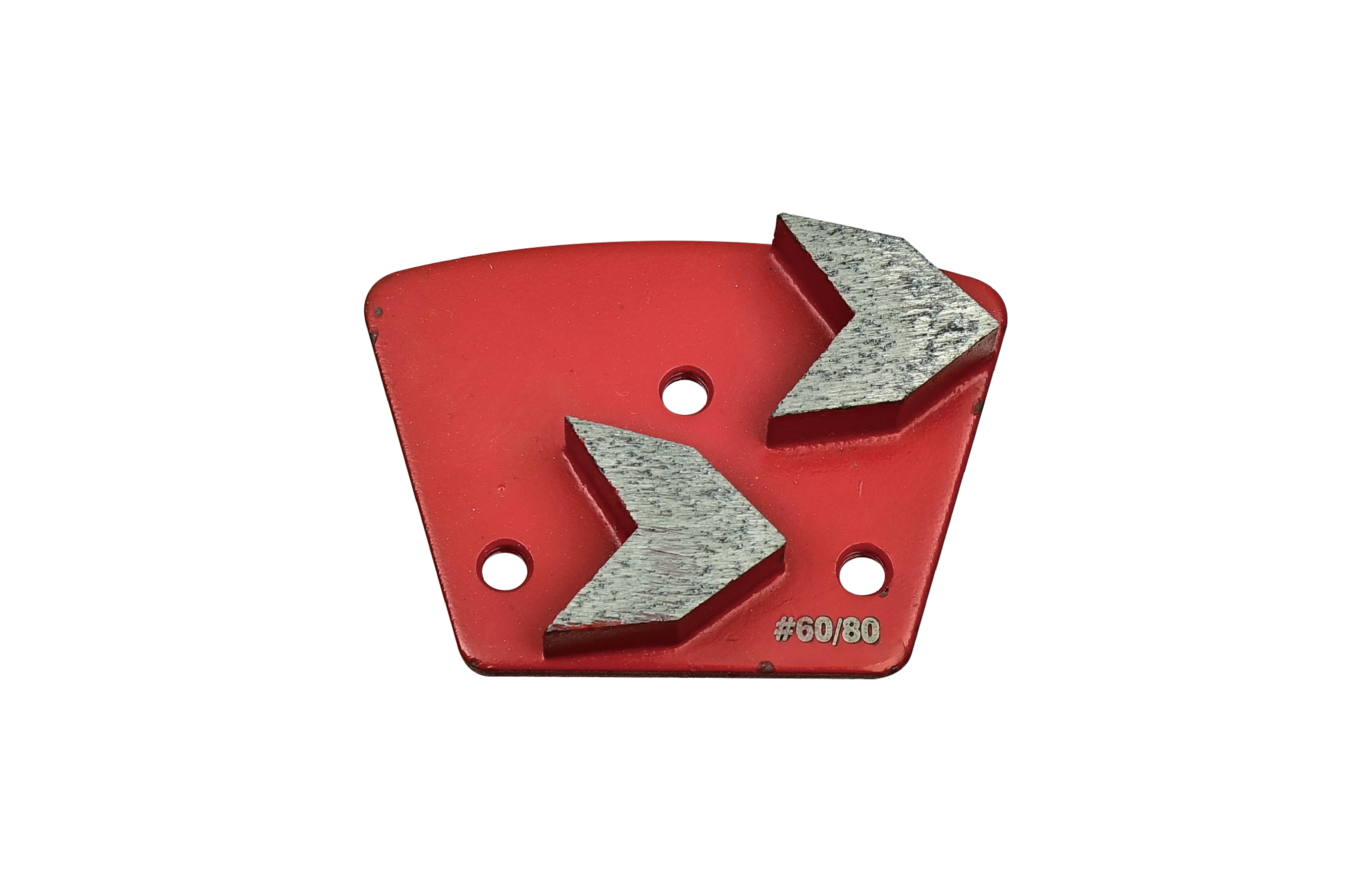
Professional Arrow Segment Diamond Grinding Shoe for Medium Concrete
Concrete floor grinding requires segment geometry that can maintain effective material removal while supporting stable grinding performance.
DIATOP Arrow Segment Shoe is designed for dry grinding of medium concrete and uses an arrow-shaped double segment configuration.
The Red version shown in the catalog is available in multiple grit ranges for progressive concrete surface preparation.
Type of Equipment: FG (Floor Grinder)
Key Features
-
Arrow-shaped diamond segment design.
-
Designed for dry grinding.
-
Suitable for medium concrete.
-
Red bond version.
-
Double arrow segment configuration.
-
Multiple grit options available.
Medium Concrete / Red
Available Sizes
Item – Grit # / Segment Spec (L x T x W mm)
-
ARDMC 18 – 18 / 20 / 25 x 25 x 10 mm
-
ARDMC 25 – 25 / 30 / 25 x 25 x 10 mm
-
ARDMC 30 – 30 / 40 / 25 x 25 x 10 mm
-
ARDMC 60 – 60 / 80 / 25 x 25 x 10 mm
-
ARDMC 120 – 120 / 150 / 25 x 25 x 10 mm
Technical Notes
-
Product Type: Arrow Segment Shoe
-
Equipment: FG (Floor Grinder)
-
Dry use
-
Concrete: Medium
-
Color: Red
-
Segment Design: Arrow
-
Segment Spec: 25 x 25 x 10 mm
-
Grit Range: 18/20, 25/30, 30/40, 60/80, 120/150
Typical Applications
medium concrete grinding, dry concrete floor grinding, surface preparation, concrete floor preparation, industrial floor grinding, metal bond grinding, coating preparation
Q1. What concrete hardness is the Arrow Segment Shoe designed for?
A. The Red version shown in the catalog is designed for medium concrete.
Q2. What segment shape does the Arrow Segment Shoe use?
A. It uses an arrow-shaped double segment configuration.
Q3. What grit options are available?
A. The listed grit ranges are 18/20, 25/30, 30/40, 60/80, and 120/150.
For Arrow Segment Shoe selection, grit recommendations, medium-concrete grinding, and troubleshooting guidance, please visit the DIATOP Tech Notes section.
